@vsx-coderabbit/coderabbit-vscode
Public// Description
Free AI code reviews that run directly in VS Code. Review each commit immediately without waiting for PR to be raised. Catch more bugs and ship code faster.
// Readme
Open VSX#CodeRabbit: AI code reviews in your editor
AI coding tools let you write code 10x faster. But reviews still happen days later in PRs. CodeRabbit reviews your code instantly in VS Code, Cursor, and Windsurf – catching bugs before you even commit.
##✨ Why CodeRabbit
- ›Reviews in the IDE: No waiting for PR reviews. Get feedback on uncommitted changes as you code.
- ›Works with your AI agent: One-click hand-off to Claude Code, Copilot, Cursor, or any coding agent to apply fixes.
- ›Senior dev quality: Catches race conditions, security holes, and architectural issues – not just syntax errors.
- ›Fix with AI: Review with CodeRabbit and pass to your coding agent in the same IDE, in one single click.
- ›Full context with git integration: Connect your repository to access 40+ contextual sources, linters, security checks, and sandbox testing.
- ›Language agnostic: Works with every programming language your team uses.
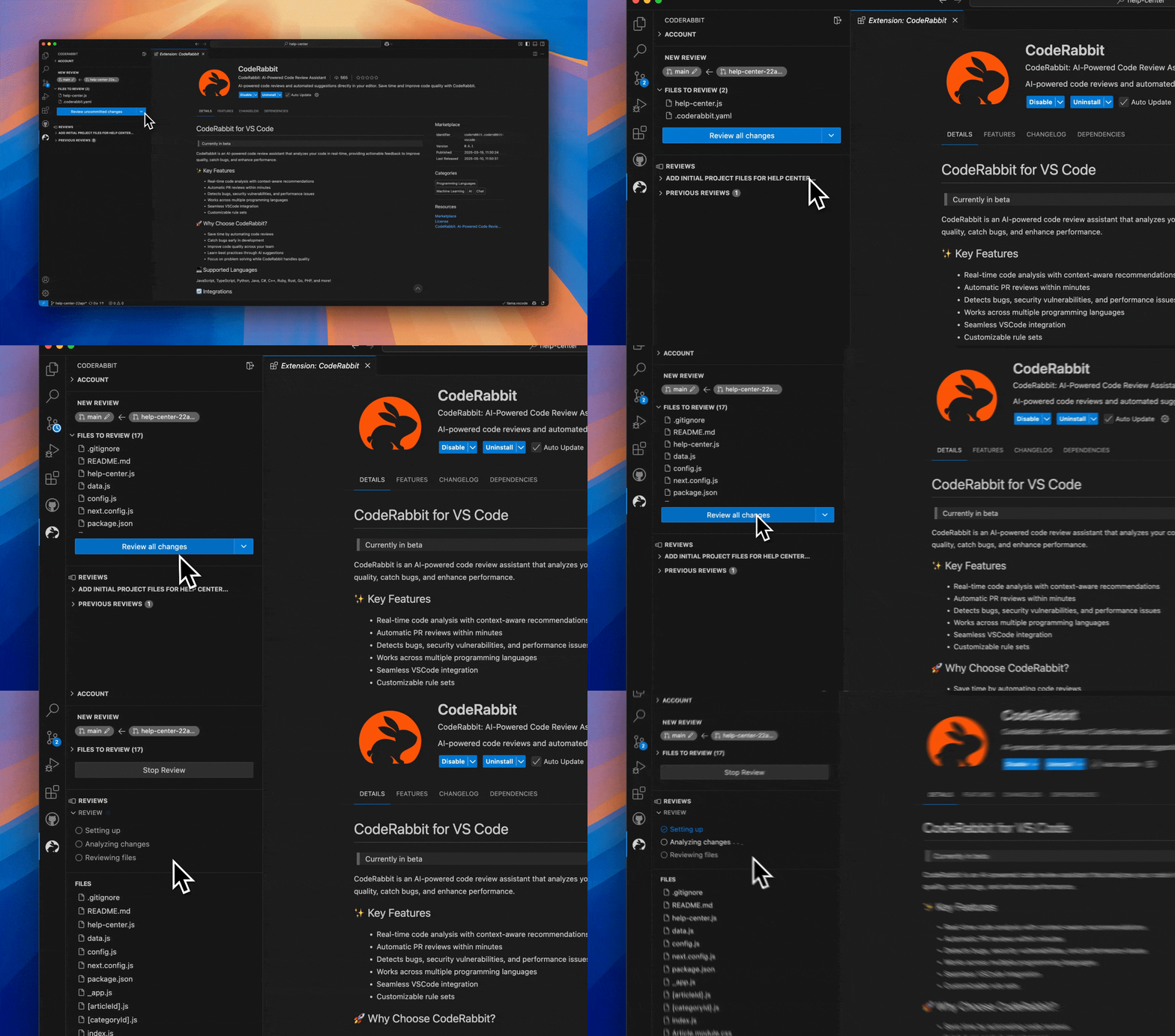
##🚀 Key Features
- ›Line-by-line reviews: Every line gets reviewed with context from your entire codebase.
- ›Review uncommitted changes: Catch issues before committing. Reduce PR comment noise by 80%.
- ›One-click fixes: Apply simple fixes instantly. Complex fixes hand off to your AI agent.
- ›Fix all: New feature – click once to send all review comments and context to your coding agent.
- ›AI agent integration: Works with Copilot, Cursor, Claude Code, Codex CLI, Cline, Roo, Kilo Code, Augment Code, or clipboard fallback.
- ›Follows your coding guides: Automatically detects claude.md, Cursor rules, and other coding agent files. Applies them to every review.
- ›PR reviews too: Upgrade to get comprehensive PR reviews with even more context and integrations.
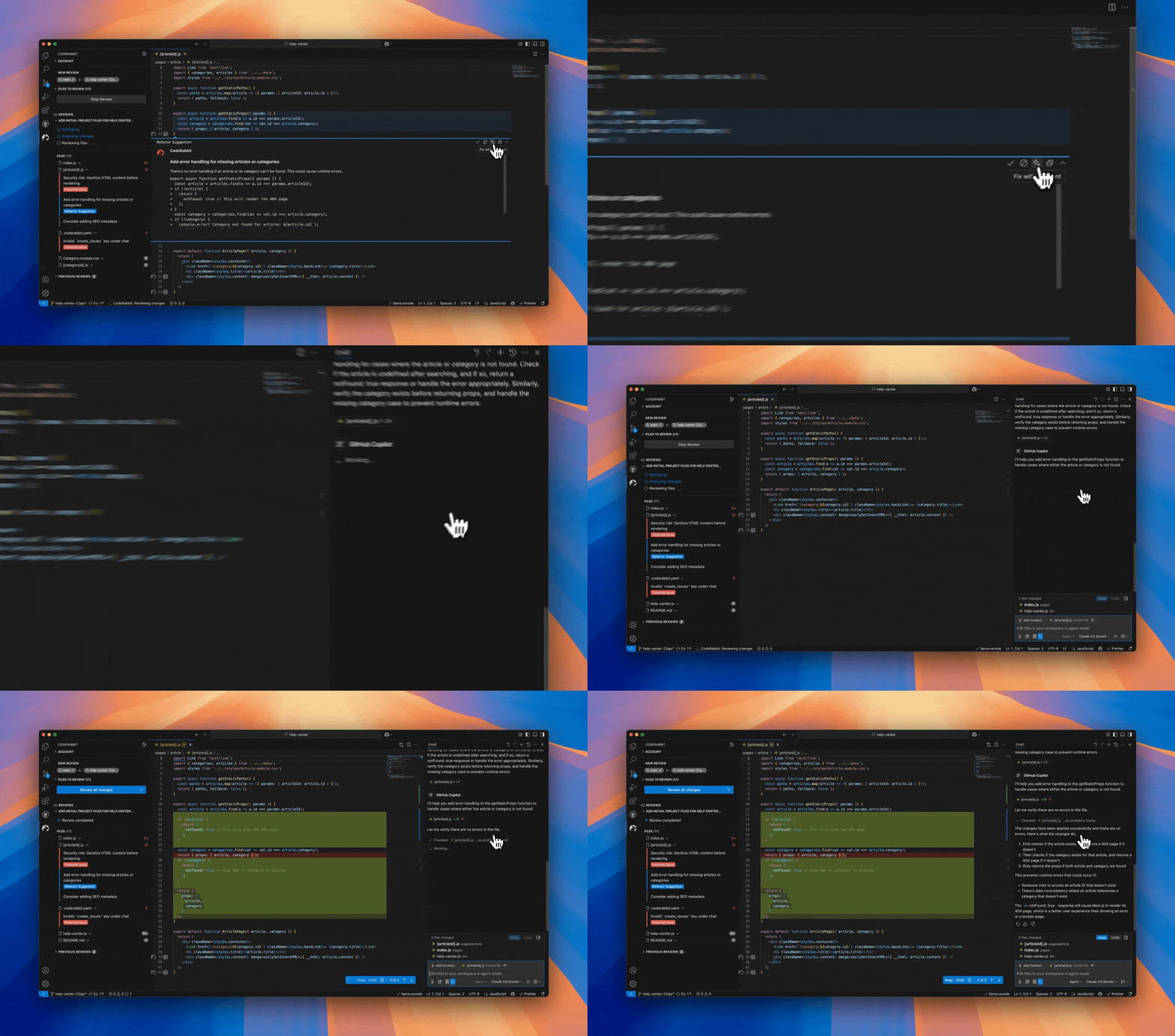
##🤖Supported coding agents
- ›Native (default): Direct integration with GitHub Copilot in VS Code or Cursor
- ›Claude Code: Terminal-based fixes using
claudecommand - ›Codex CLI: Terminal integration with
codexcommand - ›Cline: Opens Cline sidebar for automated fixes
- ›Roo: Integrates with Roo Code's task runner
- ›Kilo Code: Works with Kilo Code's AI assistant
- ›Augment Code: Compatible with Augment's coding agent
- ›opencode: Terminal integration with
opencodecommand - ›Clipboard: Universal fallback – copies fix instructions for any AI agent
Works in VS Code, Cursor, and Windsurf editors
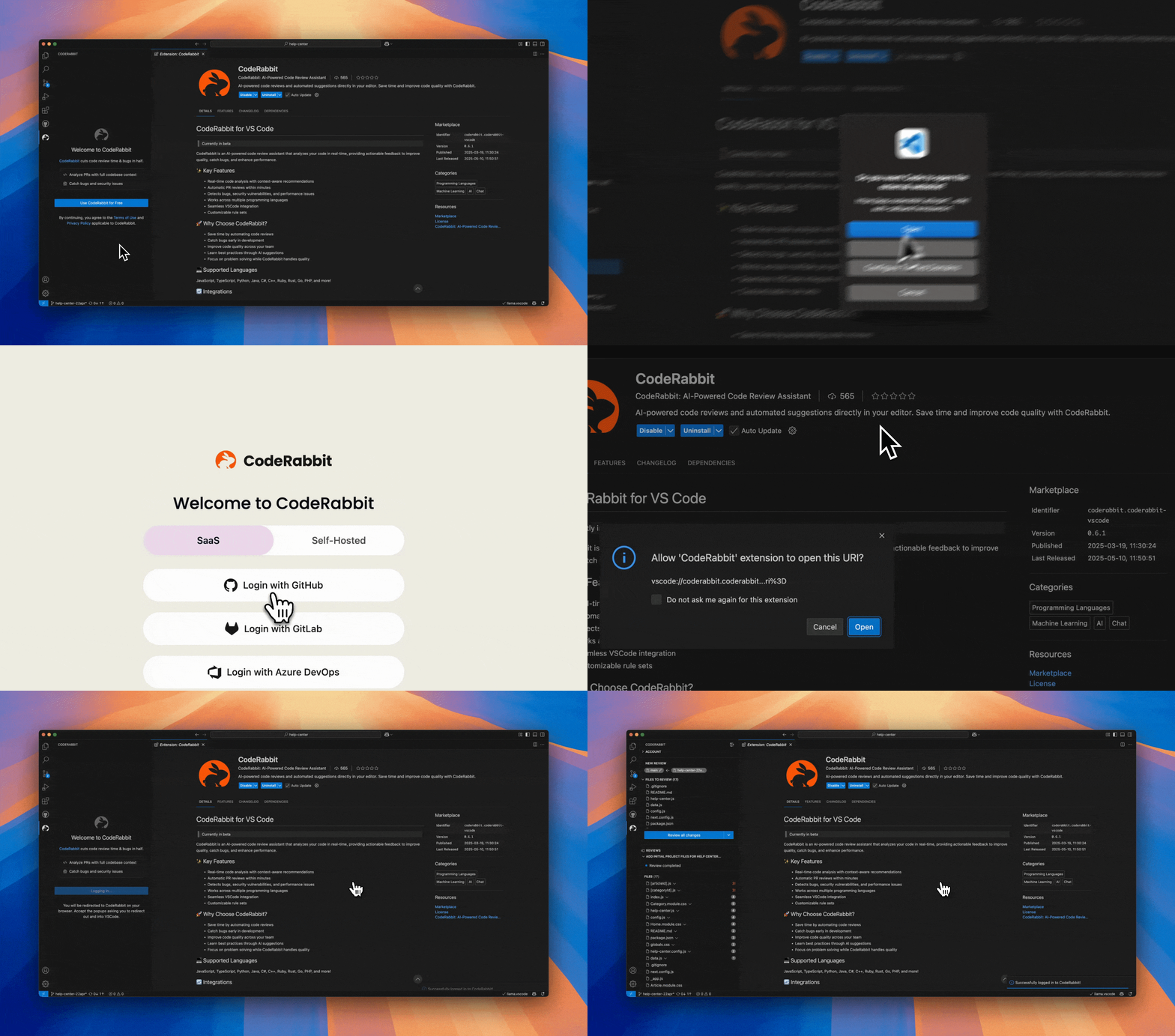
##🏁 Getting Started
- ›Install the extension
- ›Connect your CodeRabbit account
- ›Connect your git repository for smarter, context-aware reviews
- ›Start getting reviews on every change
##🔄 Integrations
GitHub, GitLab, Bitbucket, and Azure DevOps
##❓ Frequently Asked Questions
Q: Is CodeRabbit free to use? A: CodeRabbit offers a free tier with limited reviews per day. Premium plans are available for teams and developers requiring more extensive usage. Reach out to sales@coderabbit.ai for higher rate limits.
Q: How is this different from GitHub Copilot or Cursor? A: Those tools help you write code faster. CodeRabbit reviews that code – catching bugs those tools might introduce. Use both together.
Q: What do paid plans include? A: Higher rate limits in your IDE plus full PR reviews in GitHub/GitLab. PR reviews add linter integrations, code graph analysis, custom rules, and team learnings. The full context makes reviews even better.
Q: Is my code secure? A: Your code is analyzed in memory, never stored. All transmissions encrypted. SOC 2 Type II certified.
// Install
Open this extension directly in your IDE — no CLI, no extra tools.
coderabbit.coderabbit-vscodeIf your IDE doesn't open automatically, copy the ID above and paste it into the Extensions view (⌘P → ext install <id>).
// Source signals
- Publisher
- Verified ✓
- Rating
- 4.5 (4)
- Downloads
- 677.7k
- Published
- 2026-09-28
- License
- See LICENSE
- Source
- repo
- Homepage
- link
Live from open-vsx.org. Refreshed hourly.
// Are you the author?
This listing is mirrored from Open VSX. Claim it to ship a native OXP build, customise the page, and respond to reviews.
Claim this listing// Package Info
- Version
- 0.19.2
- Owner
- @vsx-coderabbit
- Downloads
- 336.6k
- Stars
- 0