@vsx-cweijan/vscode-mysql-client2
Public// Description
Database Management for MySQL/MariaDB, PostgreSQL, Redis and ElasticSearch.
// Readme
Open VSX#Database Client
All-in-one database management extension for Visual Studio Code. Connect to SQL and NoSQL databases, browse and edit data, run queries with IntelliSense, manage SSH servers, Docker, and remote files — without leaving the editor.
Website: database-client.com · Docs: https://database-client.com/docs

##Telemetry
The extension collects anonymous usage data to help improve the product. Read the Privacy Policy for details.
Telemetry follows VS Code's telemetry settings. You can also disable it independently:
"database-client.telemetry.usesOnlineServices": false
##Getting Started
###Connect
- ›Open the Database panel in the sidebar.
- ›Click the
+button. - ›Select a service type, fill in the connection details, and click Connect.
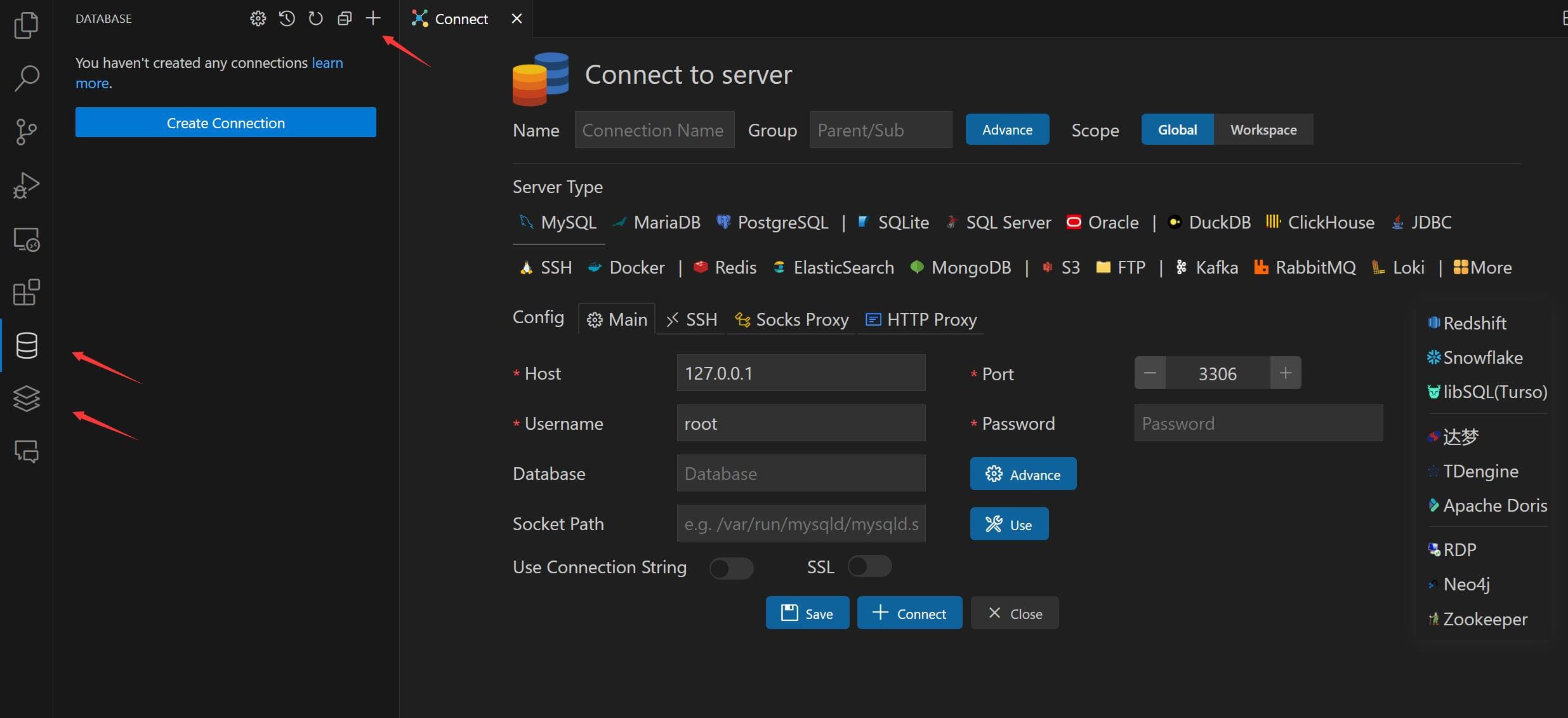
Connections support SSH tunnel, SSL/TLS, SOCKS proxy, and HTTP auth where applicable.
###Browse Tables
- ›Click a table to open the table view.
- ›Click the button beside a table to open it in a new tab.
- ›Edit data directly in the grid.
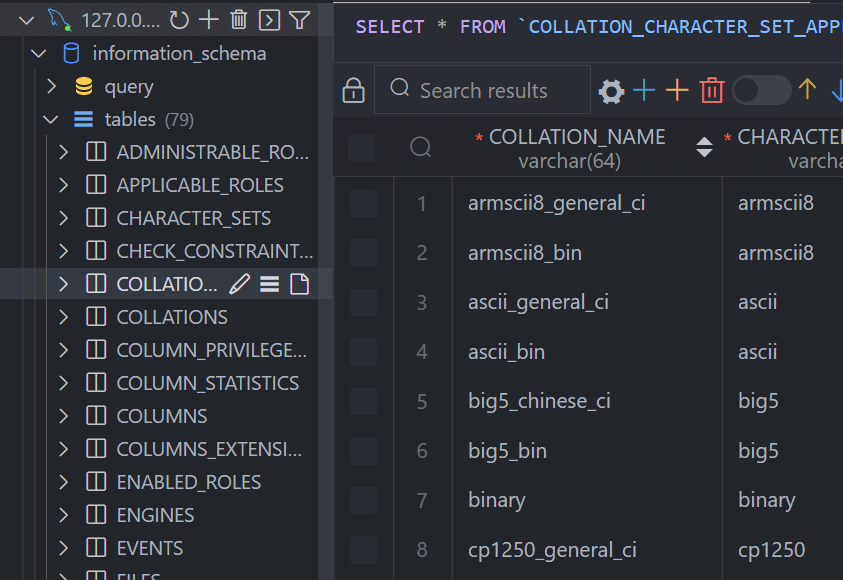
Use the search box next to Tables to filter objects in the explorer.
###Execute SQL
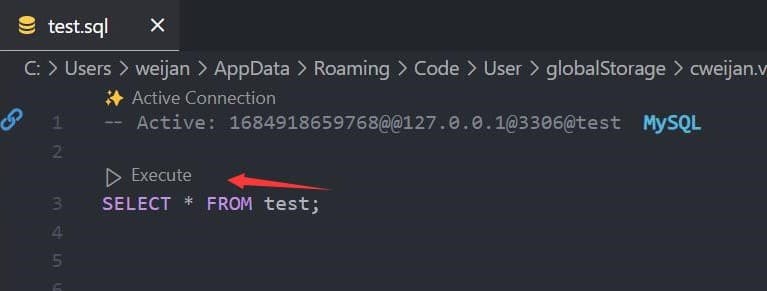
Click Open Query on a connection to open a SQL editor bound to that database.
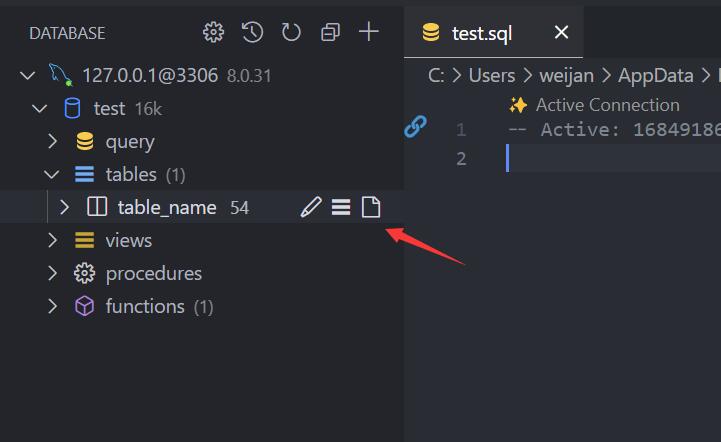
The editor provides:
- ›SQL IntelliSense and auto-completion
- ›Snippets:
sel,del,ins,upd,joi, etc. - ›Run current/selected SQL —
Ctrl+Enter/Cmd+Enter - ›Run all SQL —
Ctrl+Shift+Enter/Cmd+Shift+Enter - ›Run in new panel —
Ctrl+Alt+Enter/Cmd+Ctrl+Enter
###Cache
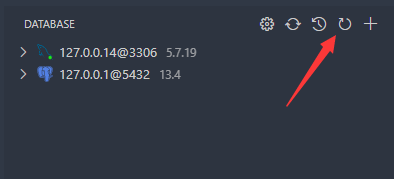
Database metadata is cached for performance. If the schema changes externally, click the Refresh button on the connection to update.
###Backup & Import
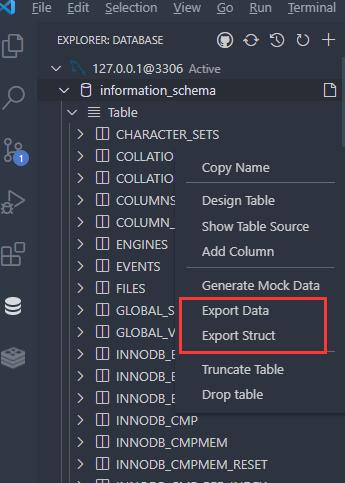
Right-click any database or table node to access Export and Import options.
For MySQL and PostgreSQL, adding mysqldump or pg_dump to your PATH enables native backup tools.
###SSH & Port Forwarding
Connect to an SSH server to access the terminal, browse remote files, and set up port forwarding for tunneling database connections.
###Mock Data
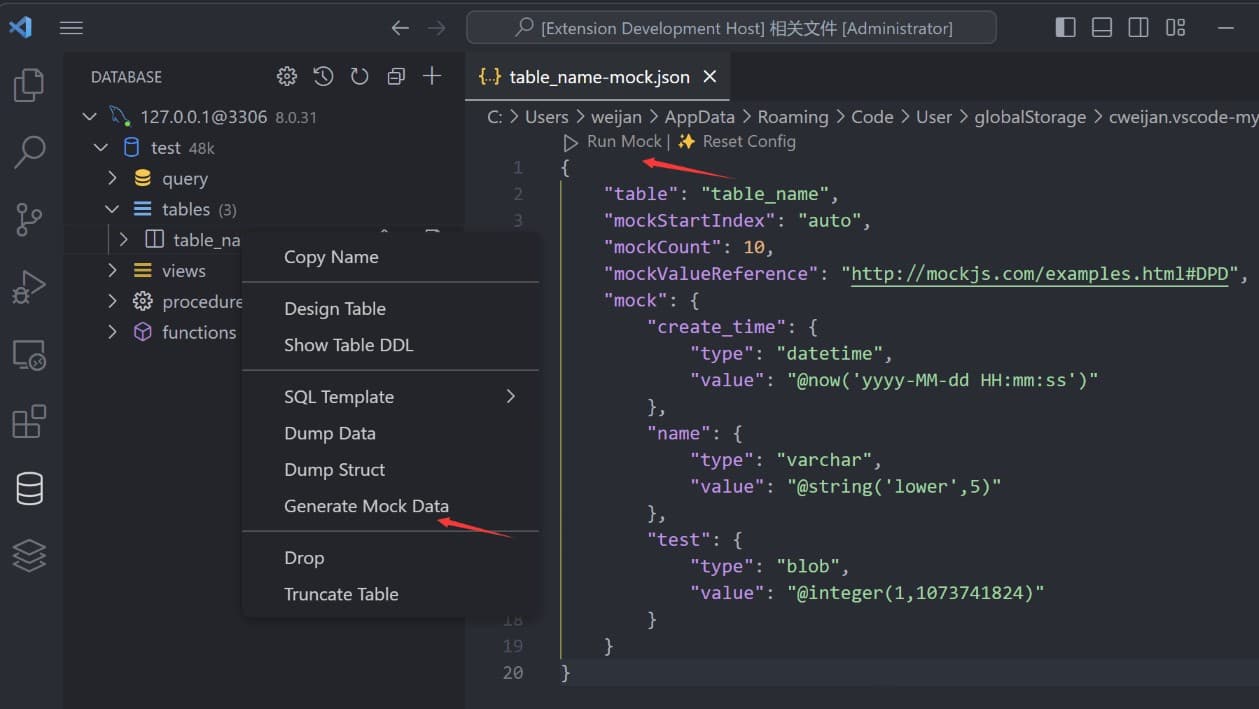
Generate test data from table templates or mock.json files. Press Ctrl+Enter / Cmd+Enter in a mock file to run.
###Query History
Click the history button in the SQL editor toolbar to view recently executed queries.
##Settings
Open VS Code Settings and search for database-client to configure SQL behavior, result layout, telemetry, and more.
Common options:
| Setting | Description |
|---|---|
database-client.defaultSelectLimit | Default row limit for SELECT queries |
database-client.confirmWhenUpdateWithoutWhere | Warn before UPDATE/DELETE without WHERE |
database-client.autoPagingSQL | Auto-paginate large result sets |
database-client.enableSQLVariable | Enable${variable} substitution in SQL |
database-client.splitEditorWhenQuery | Open results in a split editor |
##Development
###Prerequisites
- ›Node.js 20+
- ›Yarn
###Build
yarn install
yarn dev      # watch mode for development
yarn build    # production build to out/
yarn lint     # type check
Press F5 in VS Code to launch the Extension Development Host.
###Package
yarn repackage # build and create .vsix
##Credits
- ›ssh2 — SSH client
- ›sql-formatter — SQL formatting
- ›Client libraries:
- ›@cweijan/mysql2 — MySQL
- ›pg — PostgreSQL
- ›tedious — SQL Server
- ›ioredis — Redis
- ›mongodb — MongoDB
- ›kafkajs — Kafka
- ›neo4j-driver — Neo4j
- ›snowflake-sdk — Snowflake
- ›vscode-sqlite — SQLite client code reference
// Install
Open this extension directly in your IDE — no CLI, no extra tools.
cweijan.vscode-mysql-client2If your IDE doesn't open automatically, copy the ID above and paste it into the Extensions view (⌘P → ext install <id>).
// Source signals
Live from open-vsx.org. Refreshed hourly.
// Are you the author?
This listing is mirrored from Open VSX. Claim it to ship a native OXP build, customise the page, and respond to reviews.
Claim this listing// Package Info
- Version
- 8.4.7
- Owner
- @vsx-cweijan
- Downloads
- 1.0M
- Stars
- 0