// Description
Use any remote machine with a SSH server as your development environment.
// Readme
Open VSX#Open Remote - SSH
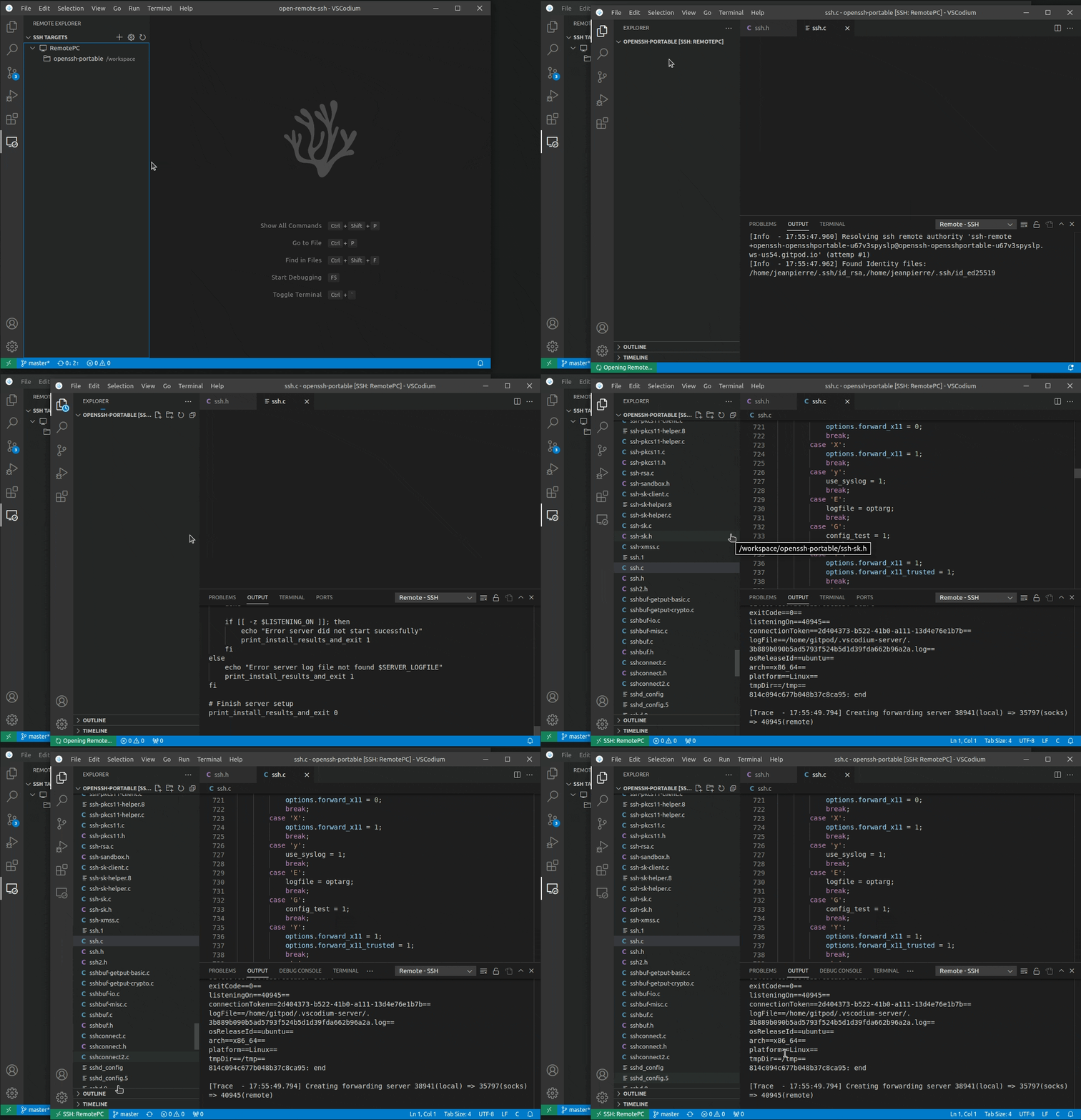
##SSH Host Requirements
You can connect to a running SSH server on the following platforms.
Supported:
- ›x86_64 Debian 8+, Ubuntu 16.04+, CentOS / RHEL 7+ Linux
- ›ARMv7l (AArch32) Raspbian Stretch/9+ (32-bit)
- ›ARMv8l (AArch64) Ubuntu 18.04+ (64-bit)
- ›IBM Z (s390x) Debian 13, RHEL 8+, Ubuntu 22.04+, SLES 15+
- ›macOS 10.14+ (Mojave)
- ›Windows 10+
- ›FreeBSD 13+ (Requires custom serverDownloadUrlTemplate setting)
- ›DragonFlyBSD (Requires manual remote-extension-host installation)
##Requirements
Configuration
You SSH server's configuration needs to have the following setting:
- ›
AllowTcpForwarding yes
Activation
NOTE: Not needed in VSCodium since version 1.75
Enable the extension in your argv.json
{
    ...
    "enable-proposed-api": [
        ...,
        "jeanp413.open-remote-ssh",
    ]
    ...
}
which you can open by running the Preferences: Configure Runtime Arguments command.
The file is located in ~/.vscode-oss/argv.json.
Alpine linux
When running on alpine linux, the packages libstdc++ and bash are necessary and can be installed via
running
sudo apk add bash libstdc++
##SSH configuration file
OpenSSH supports using a configuration file to store all your different SSH connections.
To use an SSH config file, run the Remote-SSH: Open SSH Configuration File... command.
##Note for VSCode-OSS users
If you are using VSCode-OSS instead of VSCodium, you need some extra steps to make it work.
Modify the following entries in the plugin settings:
"remote.SSH.serverBinaryName": "codium-server",
"remote.SSH.serverDownloadUrlTemplate": "https://github.com/VSCodium/vscodium/releases/download/${version}${release}/vscodium-reh-${os}-${arch}-${version}${release}.tar.gz",
"remote.SSH.serverVersion": "latest",
"remote.SSH.serverValidation": "force",
VSCodium versions have an extra release part that do not have equivalent for VSCode-OSS.
So leaving serverVersion to the default "match" will fail.
The plugin will install the latest release of VSCodium if serverVersion is set to "latest".
If you need to match the VSCode-OSS version, set serverVersion to "closest", to
automatically fetch the last release of VSCodium for this version.
You can look for the release numbers associated with your VSCode version in the release page. For instance, for VSCode version "1.96.0", the (last) VSCodium release number is "24352".
You can also set serverVersion to a specic version (e.g. "1.116.0") or a specific
version-release (e.g. "1.116.02821").
If the local and remote VSCodium versions don't match, which will be the case on VSCode-OSS,
remote server validation needs to be bypassed. Setting serverValidation to "force" will
modify the commit of the remote server to make it match the local VSCode commit.
If serverValidation is set to "skip", the remote server will skip checking that the commits
match. This option is working only if the remote VSCodium version is >=1.120.
Starting with VSCodium version 1.99.0, the release number is not separated from the version by a dot . anymore.
Therefore serverDownloadUrlTemplate needs to be filled with the new scheme (as shown above).
Before 1.99.0, the old scheme needs to be used:
"remote.SSH.serverDownloadUrlTemplate": "https://github.com/VSCodium/vscodium/releases/download/${version}.${release}/vscodium-reh-${os}-${arch}-${version}.${release}.tar.gz",
// Install
Open this extension directly in your IDE — no CLI, no extra tools.
jeanp413.open-remote-sshIf your IDE doesn't open automatically, copy the ID above and paste it into the Extensions view (⌘P → ext install <id>).
// Source signals
Live from open-vsx.org. Refreshed hourly.
// Are you the author?
This listing is mirrored from Open VSX. Claim it to ship a native OXP build, customise the page, and respond to reviews.
Claim this listing// Package Info
- Version
- 0.1.2
- Owner
- @vsx-jeanp413
- Downloads
- 456.2k
- Stars
- 0