@vsx-vscjava/vscode-java-dependency
Public// Description
Manage Java projects in Visual Studio Code
// Readme
Open VSX#Project Manager for Java
Manage Java projects in Visual Studio Code



##Overview
A lightweight extension to provide additional Java project explorer features. It works with Language Support for Java by Red Hat to provide the following features:
###Project View
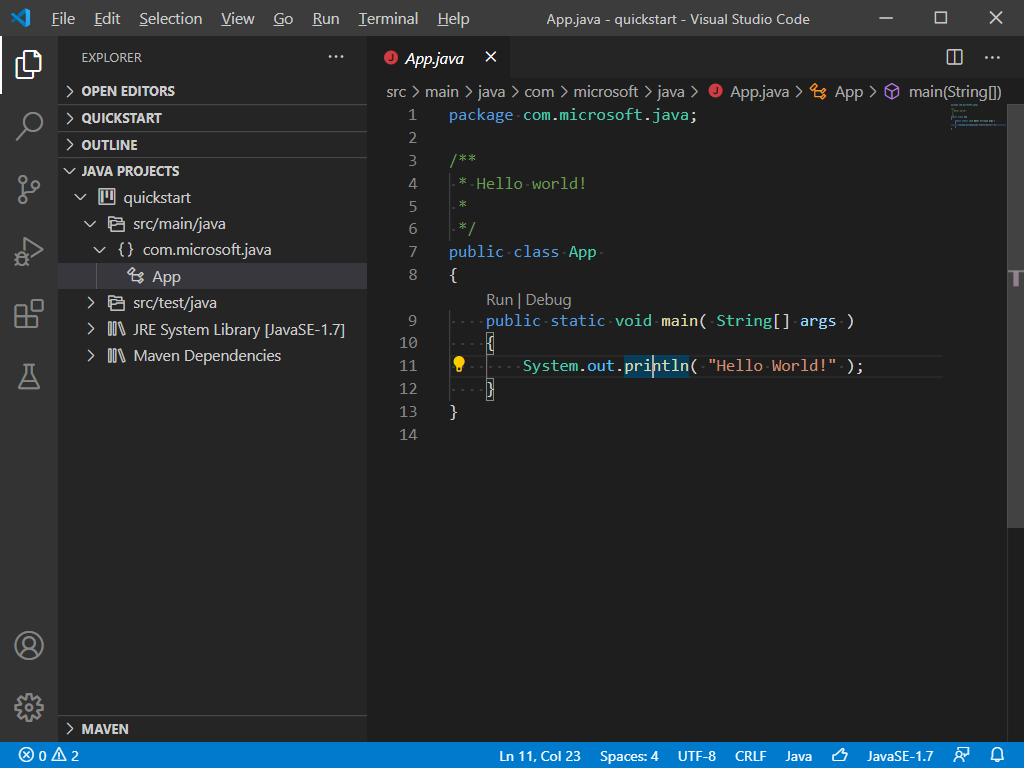
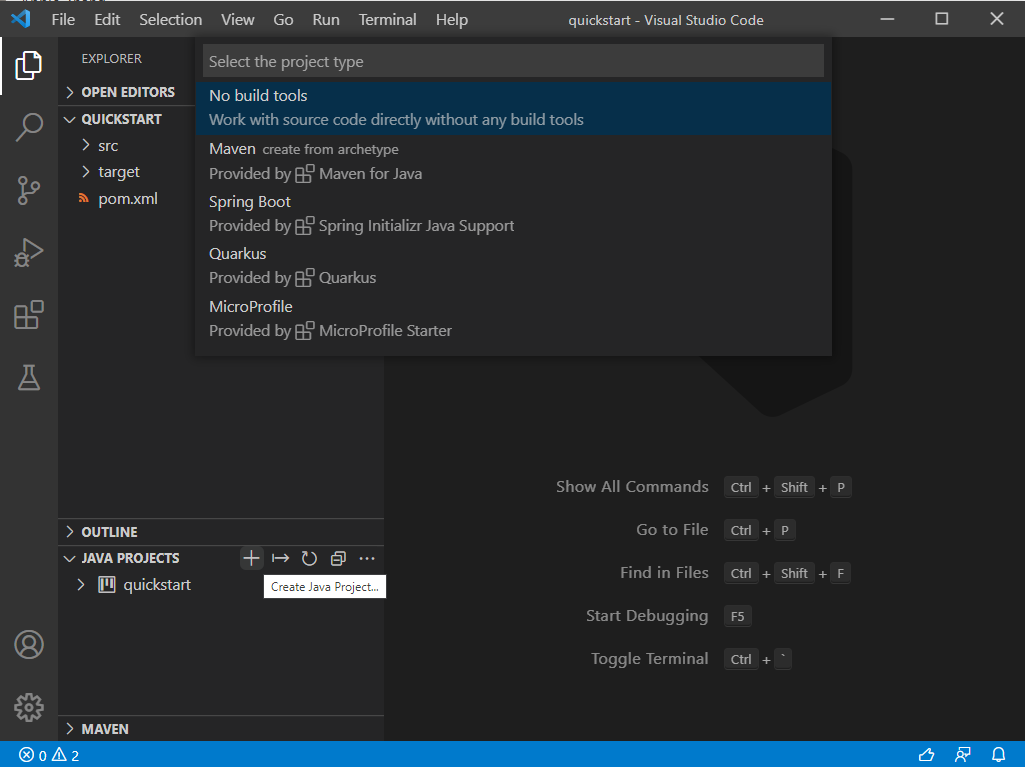
###Create Java Projects
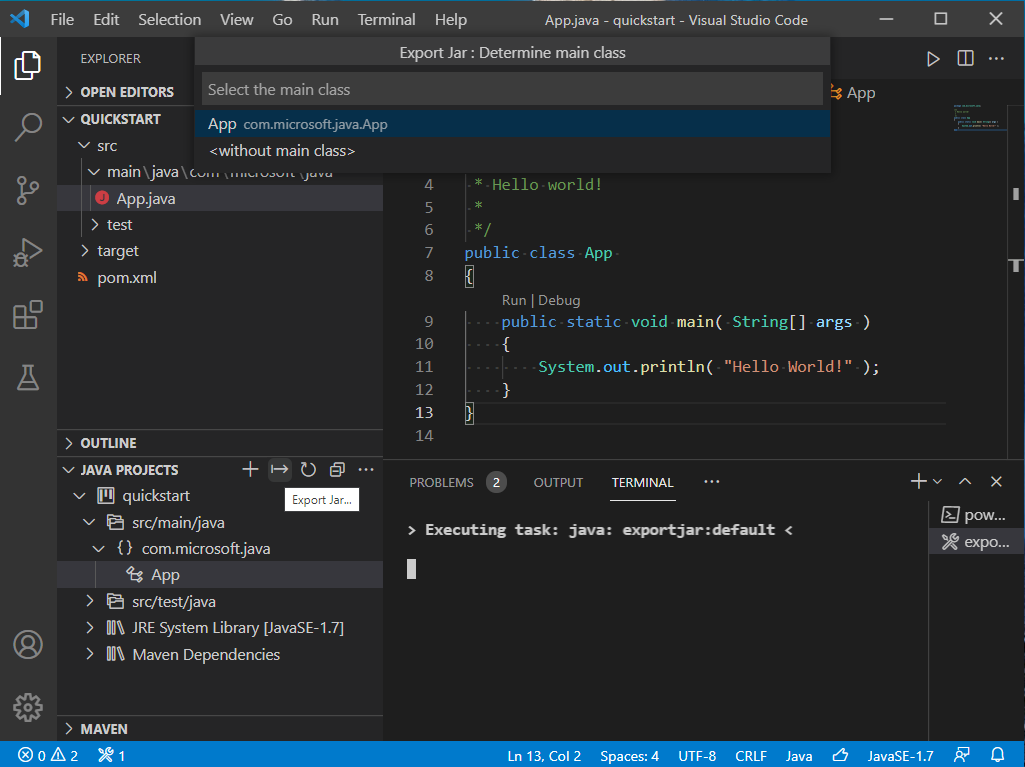
###Export Jar
Note: For Spring Boot projects, please use the build tool to build the executable jar, for example:
mvn package.
###Manage Dependencies
You can work with JAR files directly without any build tools. Go to JAVA PROJECTS view, find the Referenced Libraries node and click the + icon:
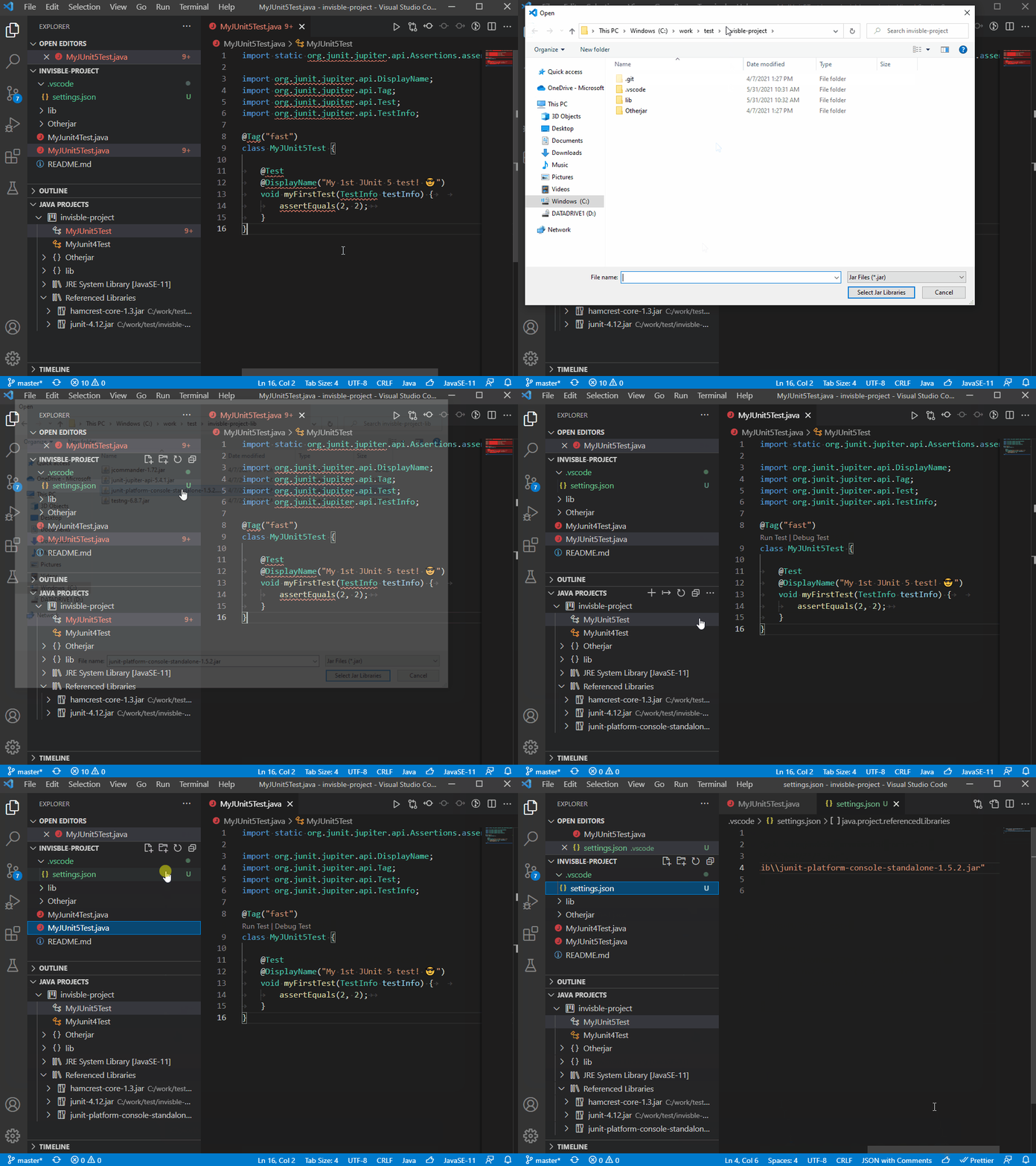
If you want to fine-tune this, go to settings.json and look for the java.project.referencedLibraries entry.
"java.project.referencedLibraries": [
    "library/**/*.jar",
    "/home/username/lib/foo.jar"
]
You can tell that the glob pattern is supported. And here's more - you can include/exclude certain files, and attach source JARs:
"java.project.referencedLibraries": {
    "include": [
        "library/**/*.jar",
        "/home/username/lib/foo.jar"
    ],
    "exclude": [
        "library/sources/**"
    ],
    "sources": {
        "library/bar.jar": "library/sources/bar-src.jar"
    }
}
###Stay Secure and Up to Date
Project Manager for Java keeps an eye on your project's Java runtime and dependencies, so you don't have to track them yourself. When it spots something worth your attention, it offers a one-click recommendation to fix it:
- ›Upgrade recommendations – Get notified when your Java runtime or libraries are out of date, deprecated, or have reached end of life, along with a suggested target version.
- ›Security recommendations – Get alerted when known vulnerabilities (CVEs) are detected in your dependencies, so you can address them before they become a problem.
When you accept a recommendation, the upgrade or fix is carried out for you by the GitHub Copilot app modernization extension. If the extension isn't installed yet, it will be set up automatically as part of the flow.
You can turn these reminders on or off at any time with the java.dependency.enableDependencyCheckup setting.
##Requirements
- ›VS Code (version 1.95.0+)
- ›Language Support for Java by Red Hat
##Settings
| Setting Name | Description | Default Value |
|---|---|---|
java.dependency.showMembers | Specify whether to show the members in the Java Projects explorer. | false |
java.dependency.syncWithFolderExplorer | Specify whether to link Java Projects Explorer with the active editor. | true |
java.dependency.autoRefresh | Specify whether to automatically sync the change from editor to the Java Projects explorer. | true |
java.dependency.refreshDelay | The delay time (ms) the auto refresh is invoked when changes are detected. | 2000ms |
java.dependency.packagePresentation | Specify how to display the package. Supported values are: flat, hierarchical. | flat |
java.dependency.enableDependencyCheckup | Show reminders when your Java runtimes or dependencies need an upgrade. | true |
java.project.exportJar.targetPath | The output path of export jar. When this setting is empty , a file explorer will pop up to let the user select the output location. | ${workspaceFolder}/${workspaceFolderBasename}.jar |
java.project.explorer.showNonJavaResources | When enabled, the explorer shows non-Java resources. | true |
##Contribution
###Build
- ›
Prerequirement
- ›Node.js
- ›Java SDK 11 or above
- ›
Go to root folder:
npm install
npm run build-server
##Telemetry
VS Code collects usage data and sends it to Microsoft to help improve our products and services. Read our privacy statement to learn more. If you don't wish to send usage data to Microsoft, you can set the telemetry.enableTelemetry setting to false. Learn more in our FAQ.
This project has adopted the Microsoft Open Source Code of Conduct. For more information see the Code of Conduct FAQ or contact opencode@microsoft.com with any additional questions or comments.
// Install
Open this extension directly in your IDE — no CLI, no extra tools.
vscjava.vscode-java-dependencyIf your IDE doesn't open automatically, copy the ID above and paste it into the Extensions view (⌘P → ext install <id>).
// Source signals
Live from open-vsx.org. Refreshed hourly.
// Are you the author?
This listing is mirrored from Open VSX. Claim it to ship a native OXP build, customise the page, and respond to reviews.
Claim this listing// Package Info
- Version
- 0.27.4
- Owner
- @vsx-vscjava
- Downloads
- 30.4M
- Stars
- 0